
Here's another one of my pieces I've created after learning from a tutorial I found on Worth 1000
I created the wrecked photo and depth by myself (you can find other tutorials to help you with this) but I created the bubbles and water using this tutorial:
Making Bubbles with your own custom Brush in Photoshop
Check it out!
I really like this one, because once you have done it one time, it is really easy to use again and again
Showing posts with label photoshop. Show all posts
Showing posts with label photoshop. Show all posts
Friday, April 18, 2008
Underwater bubbles in Photoshop


If everything was made from chocolate....
Mmmmmm..... chocolate!
 After finding a very delicious looking photoshop tutorial to chocolatize anything and everything you could ever imagine, I decided to give old Shepp the Dog here a makeover.
It was very time consuming (which is why I haven't tried it again since!) but the end result was worth it!
If you want to check out the tutorial I used to create this,
click HERE to visit the tutorial at WORTH 1000
Their picture they use isn't as cute as mine :) but its a great tutorial!
exploding planet tutorial
This is a very cool tutorial that is pretty simple to follow on how to make an exploding planet in Photoshop! Click here to check it out!
Friday, April 11, 2008
Space Art Photoshop Tutorial
It's probably about time I posted some of the fantastic tutorials I have found all over the web, so I will start with one of my favourites:
GREG MARTIN has come up with an amazing tutorial to create realistic planets using Adobe Photoshop. It is the tutorial I used to help me create my space image:
You can find this tutorial here

Friday, April 4, 2008
My next piece of space art
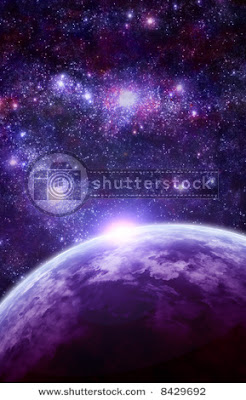
After such a long time since my first attempt at space art, I decided that it was about time I tried it again. So here's one of my new pieces that is now available on Shutterstock and hopefully soon on iStockPhoto too! I used both digital art done in Photoshop and a fractal made in Apophysis. Tell me what you think!
Friday, February 8, 2008
Why are online tutorials good to learn photoshop?
If you are at al like me, you will love exploring more and more in photoshop, and one of the easiest ways to do that is by using some great online tutorials.
Even if you never need to create a flashy glass ball or destroyed city, its a great way to learn heaps of new tips and tricks.
Online tutorials can be really easy to follow for beginners, while providing more complex ideas and projects for the more advanced user.
Video Tutorials are great to help you easily follow step by step guides, because you can watch someone else do the work, then pause, play or rewind it to try it yourself.
Written Tutorials are also good, and sometimes quicker to work with, because you can work at your own pace, and usually they include screenshots to help direct you. While I personally prefer written tutorials, many people prefer video tutorials because you are less likely to get confused by instructions.
In this blog, I will be posting some of my own tutorials that I write, as well as creating links to what I believe are some of the most useful or most interesting tutorials I have found so far on the web, so stay tuned!
Subscribe to:
Posts (Atom)

